Input
A code graph
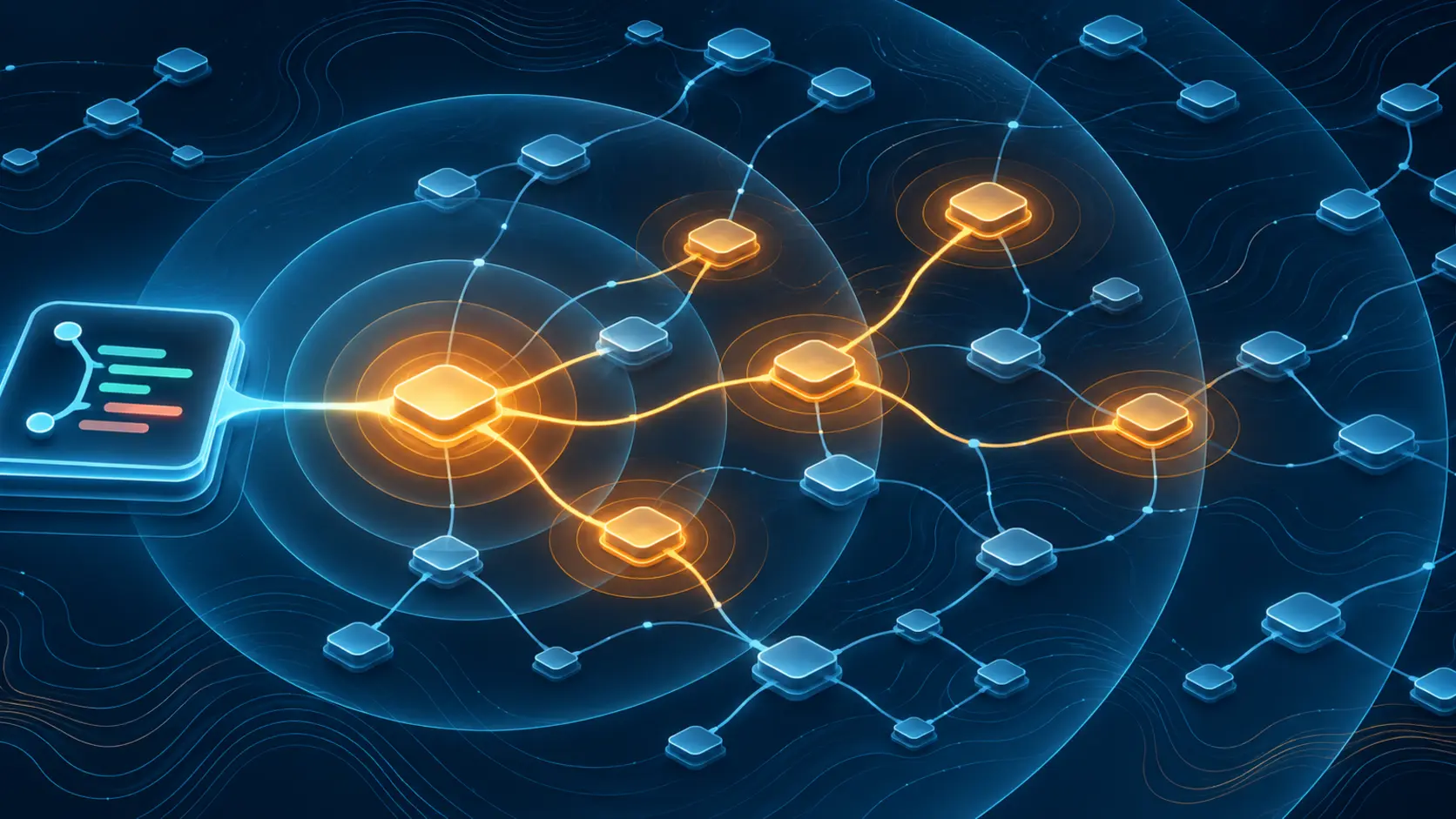
Repository structure supplies callers, dependencies, communities, and file relationships beyond the diff.
A pull request diff shows which lines changed. It does not show everything those lines touch. Graph-based PR impact analysis uses the repository structure to find likely callers, dependents, affected communities, and tests before review begins. Graphify can produce that evidence from a code graph and print it locally with graphify prs, or post a structured impact summary into a pull request workflow. The result is a review map, not a proof that the change is safe.
Published Updated
Graphify stores inspectable artifacts so codebase knowledge can be reviewed by humans and reused by AI coding assistants.
Input
Repository structure supplies callers, dependencies, communities, and file relationships beyond the diff.
Output
A concise impact summary points reviewers to affected areas and tests before they open the patch.
Limit
Dynamic and external callers may be missing, so the map guides verification rather than replacing tests.
PR impact analysis estimates what a pull request can reach: callers of changed symbols, dependent files, affected packages, related communities, and tests that may cover the change. It adds structural context to the diff so reviewers know where to look before they approve or merge.
A diff is local to changed lines. A small signature change can affect callers several modules away, and a generated client can hide a contract change behind a clean patch. The graph supplies a wider candidate set, which helps reviewers choose tests and inspect the right boundaries.
The open-source workflow builds a code graph, then runs graphify prs for a pull request number. The command reads the PR through the GitHub CLI and prints status, branch, CI, graph impact, affected communities, and changed files. It can also compare against another base branch or inspect conflicts.
The documented GitHub Actions recipe checks out the repository, installs graphifyy, builds a code-only graph, writes graphify prs output to a Markdown file, and uses gh pr comment with edit-last and create-if-none. The job needs only contents and pull-request permissions.
Start with the changed files, then inspect the most connected dependents and the tests that cover the affected behavior. Use the report to prioritize reading and test selection. Do not treat a large impact count as a defect or a small impact count as proof of safety.
A graph impact report is intentionally conservative. Similar names, broad references, or generated relationships can add candidates that are not real runtime dependencies. Treat them as review prompts, and document recurring false positives so the graph filters and extraction rules can improve.
Static graphs can miss reflection, runtime registration, dynamic imports, external clients, and code generated outside the repository. The documented Graphify impact view explicitly says dynamic and external callers may not be represented. The review process should keep an explicit checklist for these paths.
It gives reviewers a consistent starting point and reduces the chance that a distant caller is missed. It also creates a shared artifact that authors, reviewers, and AI assistants can discuss. The quality gain comes from matching the graph's revision to the base commit and verifying the evidence.
Start on a small set of active repositories, compare impact comments with human review findings for several weeks, and tune filters before enabling the workflow everywhere. Keep the graph build and comment permissions read-only except for the PR comment itself.
Run the graph and impact report as an advisory signal first, not a required check that blocks every pull request. Publish a concise comment with the changed files, affected dependency paths, confidence, and the tests that actually ran. Keep the full report as an artifact for reviewers who need detail. Once the team measures false positives and missed dependencies, it can decide whether any high-confidence condition deserves a required check.
A useful comment answers what changed, what the graph believes is connected, why that connection matters, and what remains uncertain. It should include the base revision, changed symbols or files, affected communities or packages, nearby tests, and any dynamic or external callers the graph cannot see. The comment should point reviewers to source rather than replace the diff.
Compare impact reports with accepted review findings over a representative period. Track missed dependencies, time spent locating owners or tests, reviewer disagreement, and how often the comment changes an action. A workflow that produces impressive diagrams but never affects review is not working. Retire or tune it when the evidence does not justify the maintenance burden.
uv tool install --python 3.12 graphifyy
graphify extract . --code-only
graphify prs 123uv tool install --python 3.12 graphifyy
graphify extract . --code-only
graphify prs ${{ github.event.pull_request.number }} > impact.md
gh pr comment ${{ github.event.pull_request.number }} --body-file impact.md --edit-last --create-if-noneThe documented CI recipe uses graphify extract . --code-only, which parses code with tree-sitter and needs no model credential.
The documented output includes PR status, branch, CI, graph impact counts, affected communities, and changed files.
No. It is a structural estimate of what the change can reach. Reviewers still need to inspect evidence and run tests.
Yes. The documented graphify prs command supports a --base option for a different comparison branch.
Dynamic imports, reflection, external clients, and generated code may not be represented in a static graph. Keep explicit checks for those paths.
The documented workflow builds a graph, writes a report, and comments on the PR. It does not need write permission to repository contents.
Forked PRs often have reduced token and secret permissions, which can prevent graph builds or comments. Do not expose a high-privilege token just to make the workflow work. Run the analysis in a trusted context, publish only a safe artifact, or document that fork PRs receive a reduced check until an approved workflow handles them.
The workflow needs the changed revision and enough repository structure to build the graph; it does not need to reconstruct every historical decision. Compare the base and head revisions consistently, and state which sources were unavailable. If a shallow checkout omits files required by the parser, the report should disclose the incomplete input rather than implying full coverage.
Retention should match the review's usefulness and the repository's data policy. A short-lived CI artifact may be enough for the active discussion, while an accepted decision record may need a longer human-readable summary. Avoid retaining generated graph data indefinitely without an owner, deletion path, and clarity about whether it contains sensitive source structure.
Continue through the Graphify topic cluster with pages that explain assistant context, architecture review, documentation, and graph-based codebase understanding.
How to review a pull request's blast radius with a code graph
Review a pull request's blast radius with a code graph: trace callers, dependency paths, subsystem impact, overlap, and source evidence beyond the diff.
Graphify vs CodeRabbit: code memory before review
Compare Graphify and CodeRabbit by workflow: persistent code knowledge graphs before coding versus AI pull request review after a change is ready.
Graphify vs Code Review Graph: project memory or review impact?
Compare Graphify and Code Review Graph by project memory, PR impact, MCP workflows, context cost, and local-first deployment.
Monorepo codebase context for AI coding agents
Build monorepo codebase context with package boundaries, dependency paths, graph artifacts, and refresh rules so AI agents can navigate large repositories.
Start from the use cases page or upload a project ZIP to build a graph that your team can inspect and reuse.